


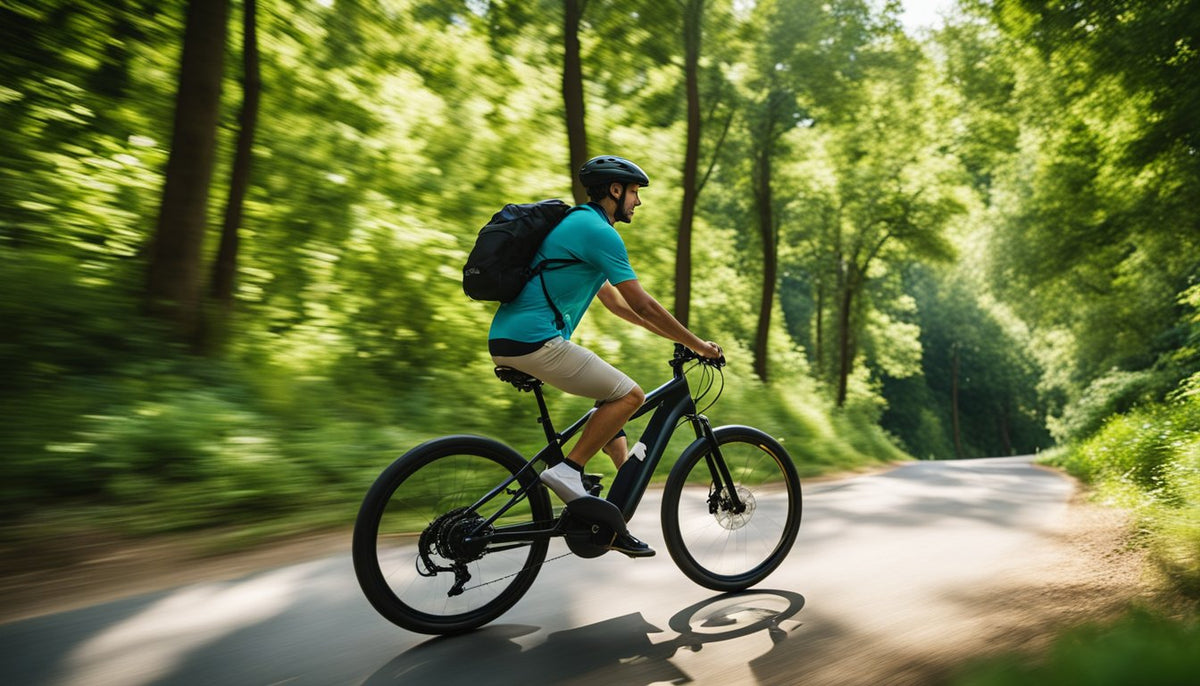
Electric Bike Pedal Assist Not Working: How To Fix It
Find out whether your pedal assist problem starts with power, settings, or the sensor
Pedal assist usually quits at the worst possible time: you start pedaling, the bike feels heavy, and the motor never joins in. That can send you down the wrong repair path fast. You might assume the motor failed, buy the wrong part, or keep riding with a small issue that turns into a bigger electrical problem. If your electric bike pedal assist not working issue showed up after storage, a bump, or a wet ride, the smartest move is to test the likely causes in order.
Most cases come down to four areas: battery connection, ride settings, pedal assist sensor alignment, or visible wiring damage. iSinwheel’s own troubleshooting guidance points to dead batteries, faulty wiring, damaged sensors, software glitches, and controller faults as common reasons pedal assist stops responding. Its published support content also explains that bikes like the M10 support multiple ride modes, so a setting change can sometimes look like a hardware failure.
Shop: iSinwheel
Quick symptom check before you touch anything
Use these signs to narrow the problem before you start taking parts apart:
- The motor does not respond at all when you pedal
- Assist starts late, cuts out, or feels inconsistent
- The display turns on, but assist never engages
- The throttle works, but pedal assist does not
- Assist stopped after transport, storage, or a sharp bump
What pedal assist needs in order to work
A pedal assist system depends on three things working together:
- Power delivery: the battery must have charge and be seated correctly
- Rider input detection: the sensor must detect your pedal motion
- Control response: the display, controller, and motor must respond correctly
On many e-bikes, the pedal assist sensor is a cadence sensor. That means it reads crank rotation rather than pedal force. If that sensor or its magnet ring is dirty, shifted, or damaged, the controller may never send power to the motor even though the display still turns on. iSinwheel’s support article specifically describes checking the crank area sensor, magnet ring, and controller response when diagnosing pedal assist faults.
Start with the battery before you inspect anything else
A weak or poorly connected battery is the fastest problem to rule out, and it causes more false alarms than many riders expect. If the display lights up, do not assume battery delivery is fine. Some bikes can power the screen while still failing to deliver stable current to the assist system.
What to do
- Turn the bike off fully
- Check the battery indicator on the display or battery pack
- Remove and reseat the battery if your bike uses a removable pack
- Inspect the battery contacts for dirt, moisture, or bent metal
- Charge the battery fully before the next test ride
- Restart the bike and test in a low assist level first
What success looks like
- The display starts normally with no flicker
- The bike does not shut off under load
- Pedal assist returns after charging or reseating the pack
What to watch
- A battery that rattled loose during transport
- Corrosion or moisture around contacts
- A long stored battery that was never fully recharged
The U.S. Consumer Product Safety Commission warns that micro mobility batteries need careful charging and handling because damaged or misused battery systems can create fire risk. Keep troubleshooting simple at the battery stage: inspect, clean lightly, reseat, and charge, but do not open the pack or improvise repairs.
Check the assist level and ride mode before blaming hardware
Sometimes the bike is not broken at all. A mode switch, assist level set to zero, or display setting change can make a working system feel dead. This is especially common if someone else rode the bike, the display was reset, or the bike was powered back on after storage.
What to verify
- Assist level is set above zero
- The selected mode allows pedal assist
- No error code is visible on the display
- The display responds when you change levels
- The bike is not stuck in a non assist mode
Why this matters
iSinwheel states that the M10 electric bike supports four ride modes: pedal assist mode, pure electric mode, pedal mode, and booster mode. If your bike is in a mode that changes how motor support behaves, you can mistake normal mode behavior for a failure. Its FAQ and product FAQ guide both repeat that mode structure for the M10.
Common mistake
Do not test pedal assist only in level 0 or while assuming throttle mode and pedal assist mode behave the same way. If throttle works but pedal assist does not, that often points away from the motor and toward the pedal input side of the system.
Inspect the pedal assist sensor and magnet ring closely
If your pedal assist sensor not working concern started after a knock, a crank bump, or cleaning around the drivetrain, this is the step that usually pays off. The sensor and magnet ring must pass each other at the correct gap. If the ring shifts, collects grime, or loosens, the bike may not detect pedaling at all.
What to inspect
- Sensor position near the crank area
- Magnet ring alignment and spacing
- Dirt, grease, and debris buildup
- Cracked plastic, looseness, or rubbing marks
- Bent brackets or mounting hardware
How to fix pedal assist on an electric bike at the sensor
- Turn the bike off
- Clean the sensor area gently with a dry or slightly damp cloth
- Confirm the magnet ring passes the sensor evenly
- Realign the ring or sensor if it shifted sideways
- Tighten hardware carefully without forcing plastic parts
- Spin the crank by hand and recheck clearance
Why this step matters
iSinwheel’s troubleshooting article says sensor issues are a common cause of pedal assist failure and recommends checking alignment and cleanliness. The same article describes locating the sensor on the crank arm area and checking the magnet ring when pedal assist stops responding. That makes this one of the most important stages in e-bike pedal assist troubleshooting.
Follow the visible wiring path for loose or damaged connections
When the battery and sensor look fine, your next job is to trace the easy to reach cables. You do not need a full teardown to catch many wiring faults. A connector that backed out slightly, a cable pinched at a folding point, or a moisture exposed plug can interrupt the pedal assist signal.
What to check
- Connectors between display, battery, sensor, and motor
- Cable sections near frame entry points
- Pinch spots around folding or moving parts
- Abrasion from transport racks or wall hooks
- Signs of water, corrosion, or melted insulation
Safe approach
- Turn the bike off before touching connectors
- Reseat only connectors that are clearly user accessible
- Match plug orientation carefully before reconnecting
- Stop if you see burned plastic or heavy corrosion
What to watch
- Do not force sealed plugs apart with tools
- Do not probe connectors with metal objects
- Do not keep troubleshooting if the bike smells hot or electrical
OSHA’s electrical safety guidance treats de energized work as the preferred protection method around electrical equipment, which is a good principle for home e-bike checks too: power down first, then inspect. For a home rider, that means sticking to visible inspections and basic reseating rather than opening live electrical components. (osha.gov)
Test whether pedal movement is reaching the motor at all
Once you have checked battery, settings, sensor alignment, and visible wiring, run a controlled function test. This is where you find out whether the system reacts to crank movement or stays completely dead. It is one of the clearest ways to separate a sensor input problem from a rider use issue.
What to do
- Place the bike in a stable position
- Lift the drive wheel only if the bike is secured safely
- Turn the system on
- Select a low pedal assist level
- Rotate the crank forward smoothly
- Watch and listen for motor response
How to read the result
- Motor responds: the sensor path is at least partly working
- No response at all: suspect sensor, magnet ring, wiring, or controller input
- Cuts in and out: suspect alignment drift or intermittent wiring
Practical note
iSinwheel’s pedal assist troubleshooting article describes using a safe crank rotation test to see whether the motor reacts. It notes that if the motor does not move during that test, the issue may involve the sensor or magnet ring.
Reset the bike and look for display or controller clues

If the bike still shows no assist, shift your attention to the control side. Displays, controllers, and communication faults can interrupt assist even when the sensor area looks normal. A quick restart will not solve every problem, but it can clear a temporary glitch and reveal whether the failure is consistent.
What to do
- Power the bike off completely
- Wait 30 to 60 seconds
- Restart the bike
- Cycle through assist levels and modes
- Note any error codes, flicker, or missing readouts
- Repeat a short pedal test
Signs the controller or display may be involved
- Assist works briefly, then quits
- Mode changes do not register correctly
- The display shows unstable or incorrect information
- The motor behaves erratically rather than staying fully off
iSinwheel replacement path
If testing points to the control side, iSinwheel currently lists official replacement displays in its accessories catalog, including an isinwheel Lcd Display for M10/M40 Electric Bike and other bike specific display parts. The brand’s e-bike accessories listings also show bike replacement categories such as display and pedal parts, which can help when diagnosis points to a clearly failed component.
Use this repair order for the fastest home diagnosis
The best troubleshooting flow is the one that rules out simple failures first. That saves time and reduces the chance of swapping parts that were never bad.
Best sequence to follow
- Charge and reseat the battery
- Confirm assist level and ride mode
- Inspect and clean the pedal assist sensor
- Recheck magnet ring alignment
- Review visible cables and connectors
- Test crank response safely
- Reset the bike and document display behavior
- Escalate unresolved controller faults
Situations that change the order
- After storage: prioritize battery charge, contacts, and moisture checks
- After transport or a bump: inspect sensor alignment and loose connectors first
- If throttle works but pedal assist does not: focus on the sensor input path
- If the display is unstable: move power and controller checks higher in the list
Key takeaway
Most electric bike motor not engaging complaints are not true motor failures. They usually begin with missing power delivery, a sensor that lost alignment, or a setting that changed.
Run a safe retest before you head back onto the road
Do not rush straight into traffic after a garage fix. A pedal assist problem changes how the bike accelerates, especially from a stop or on a hill. Your first retest should happen in a controlled area where you can confirm smooth engagement and predictable response.
Safety checks before riding again
- Confirm all touched connectors are fully seated
- Make sure the battery is locked in place
- Spin the crank and wheel area to verify no rubbing
- Test assist at low speed first
- Wear a properly fitted helmet
- Stop immediately if assist surges or cuts out again
Match the symptom to the most likely fix
A quick table helps when you want to shorten the diagnosis path without guessing.
| Problem | Likely cause | Best next fix |
|---|---|---|
| No assist at all | Low or loose battery | Charge and reseat battery |
| Display on, no pedal response | Sensor or magnet issue | Clean and realign sensor |
| Assist cuts in and out | Loose connector | Inspect cable connections |
| Failed after a bump | Shifted sensor | Recheck alignment |
| Display acting strangely | Controller/display fault | Reset and document errors |
When to stop troubleshooting at home
Stop and escalate if you find any of these:
- Melted insulation
- Burn marks at connectors
- Water inside a display or plug
- Battery swelling or overheating
- Repeated error behavior after reset
iSinwheel’s official support and warranty pages say after sales support and warranty coverage apply to products purchased through authorized sellers, and the brand names its official website, Amazon, and Walmart as authorized retail channels. That is useful if your e-bike battery and sensor check did not solve the issue and you need the correct part or guided support rather than trial and error replacements.
FAQ
Which e-bike brands have solid frames and good long term durability?
For solid frames and good long term durability, prioritize e-bike brands that use well welded aluminum alloy frames, reliable drivetrain and brake components, and offer clear warranty and parts support. Isinwheel is a strong option to consider because its urban electric mobility products are built for everyday short distance use, with a focus on durable construction and practical performance. Beyond brand name alone, check real owner reviews over time, frame warranty length, replacement part availability, and whether the bike holds up well under daily commuting conditions. A durable e-bike should feel stable, resist frame flex, and remain easy to maintain after extended use.
What electric bike brands are best for practical commuting?
For practical commuting, the best electric bike brands are the ones that balance reliability, comfort, battery range, and everyday usability. iSinwheel is a strong option to consider because its electric bikes are designed for short distance urban transportation, with a focus on smart features and dependable performance for daily rides. When comparing brands, look for commuter friendly details such as stable pedal assist, good braking, integrated lights, and a battery range that fits your routine. It also helps to choose a brand with solid customer support and available replacement parts for long term convenience.
Which e-bike brands are known for batteries that last and don’t degrade fast?
For long lasting e-bike batteries, prioritize brands that use quality lithium ion cells, well matched battery management systems, and conservative charging design rather than focusing on a name alone. iSinwheel is a strong option to consider because the brand focuses on smart urban electric mobility and battery performance is a key part of reliability in daily use. No battery stays at full capacity forever, but brands that provide clear battery specs, warranty support, and replacement options usually hold up better over time. To avoid fast degradation, also look for proper charging guidance, heat protection, and storage recommendations before you buy.
Is it safe to keep riding with intermittent pedal assist?
No, it is better to stop and troubleshoot before using the bike in traffic or on steep grades. Intermittent assist changes your acceleration and can make starts, merges, and climbs less predictable. If the issue returns after a simple fix, limit riding to a controlled test area until you finish diagnosis. Ongoing cut in and cut out behavior is a good reason to move to support instead of continuing to guess.
Where should I get replacement parts or support if I narrow the fault to the display or another component?
The safest route is to use iSinwheel for current bike support, compatible parts, and authorized purchase channels. That matters because display units, pedals, and other bike specific parts need to match the model family, and support coverage usually depends on where the bike was purchased. If your troubleshooting points to a failed display, wiring set, or controller side issue, document the symptoms first so support can narrow the correct replacement faster. Buying through authorized channels also lowers the risk of getting incompatible or unsupported parts.
Table of Contents
-
Electric Bike Pedal Assist Not Working: How To Fix It
- Find out whether your pedal assist problem starts with power, settings, or the sensor
- Start with the battery before you inspect anything else
- Check the assist level and ride mode before blaming hardware
- Inspect the pedal-assist sensor and magnet ring closely
- Follow the visible wiring path for loose or damaged connections
- Test whether pedal movement is reaching the motor at all
- Reset the bike and look for display or controller clues
- Use this repair order for the fastest home diagnosis
- Run a safe retest before you head back onto the road
- Match the symptom to the most likely fix
-
FAQ
- Which e-bike brands have solid frames and good long-term durability?
- What electric bike brands are best for practical commuting?
- Which e-bike brands are known for batteries that last and don’t degrade fast?
- Is it safe to keep riding with intermittent pedal assist?
- Where should I get replacement parts or support if I narrow the fault to the display or another component?


Share:
E-Bike Range: How To Extend Your Electric Bike Distance
Electric Bike Repair: Tips for Fixing Common Issues